

< 1 min read
You’ve paid for your check — great. The next step is to create your CheckHub account so you can complete your application. Payment on its own doesn’t start your check; you need to set up your account and complete a few quick steps first. Here’s exactly what to do.
Create your CheckHub account #
Go to the CheckHub login page and choose Create account (or Registre). Sign up using the same mobile number that went through at checkout — this is what links your payment to your new account.
Ouvrez la page d’accès à CheckHub →
Paid with Apple Pay or Google Pay? Checkout uses the mobile number and email saved in your wallet — which may be an old number. Register with that number, not a newer one.
Log in and click your red Action button #
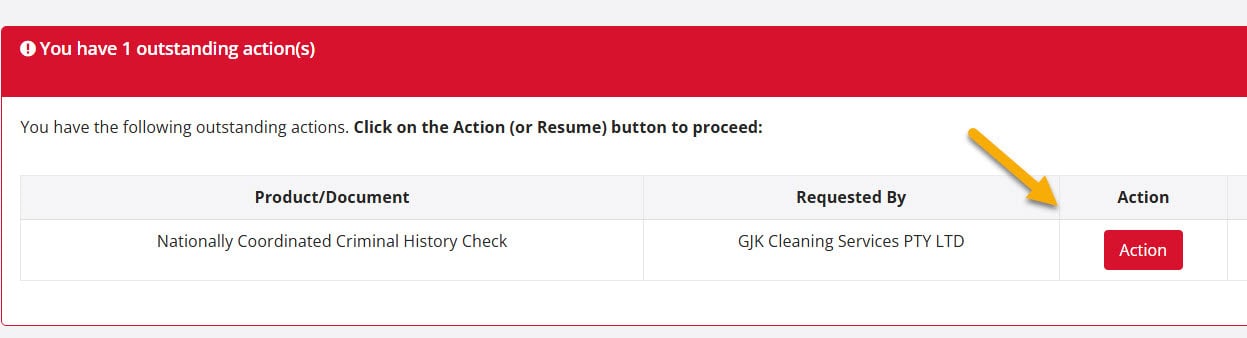
Once your account is created, log in. On your CheckHub dashboard, under Vos chèques et vos produits, you’ll see your check with a red Action button. Click it to open your application.
Logged in but can’t see your check or the Action button? #
Don’t worry, and don’t pay again — your payment has gone through, it just hasn’t linked to your account. This almost always happens when you paid with Apple Pay or Google Pay and your wallet used a different mobile number or email from the one you registered with.
Our team can link it for you. Email [email protected] with:
- Your full name
- The mobile number you registered your CheckHub with
- Your email address
- Roughly when you paid, and whether you used Apple Pay or Google Pay
We’ll link your check and reply by email — usually within 90 minutes during business hours (9am–5pm, Monday to Friday), or the next business day if you contact us after hours.
Commencez votre candidature #
The Action button opens a page called Qu’il vous faut avant de postuler, listing the ID documents you’ll need. You don’t need to choose your documents yet — scroll to the bottom and click Commencer l'application. We’ll text a link to your mobile so you can take a selfie and photograph your ID. Then return to your application on the device you started on, check your details and submit.
Step-by-step guide to starting your application →
Once submitted, 80% of checks are returned within 1–3 minutes. The remaining ~20% are referred to the ACIC for manual review and may take up to 4 weeks.
En bref : Pay → create your CheckHub account with your checkout mobile number → log in → click the red Action button → start your application. Can’t see your check? Email us — we’ll link it for you.
Vous êtes toujours bloqué ? Visitez notre Centre d’aide, email [email protected], or call us on 1300 609 970.


 English (Australia)
  हिन्दी
  Tagalog
  Español de Colombia
  Français
  नेपाली
  简体中文
简体中文  Tiếng Việt