

Once you’ve paid and pressed the red Action button in your CheckHub, you’ll land on a page called What you’ll need before you apply. This page explains what’s on that screen and how to get through it.
Looking for the whole process, from creating your account to getting your result? See how to complete your police check →
Before you start
- Your mobile phone, for the face scan
- Three identity documents, one from each group (see Step 1)
- The real card or passport for your first document, not a photo or copy of it
1
Read which ID documents you need #
You need three documents, one from each group. At the top of the page, choose Born in Australia or Here on a visa to see a common combination for your situation. You don’t need to pick your documents yet. The application shows your options at each step and tells you what’s still needed.
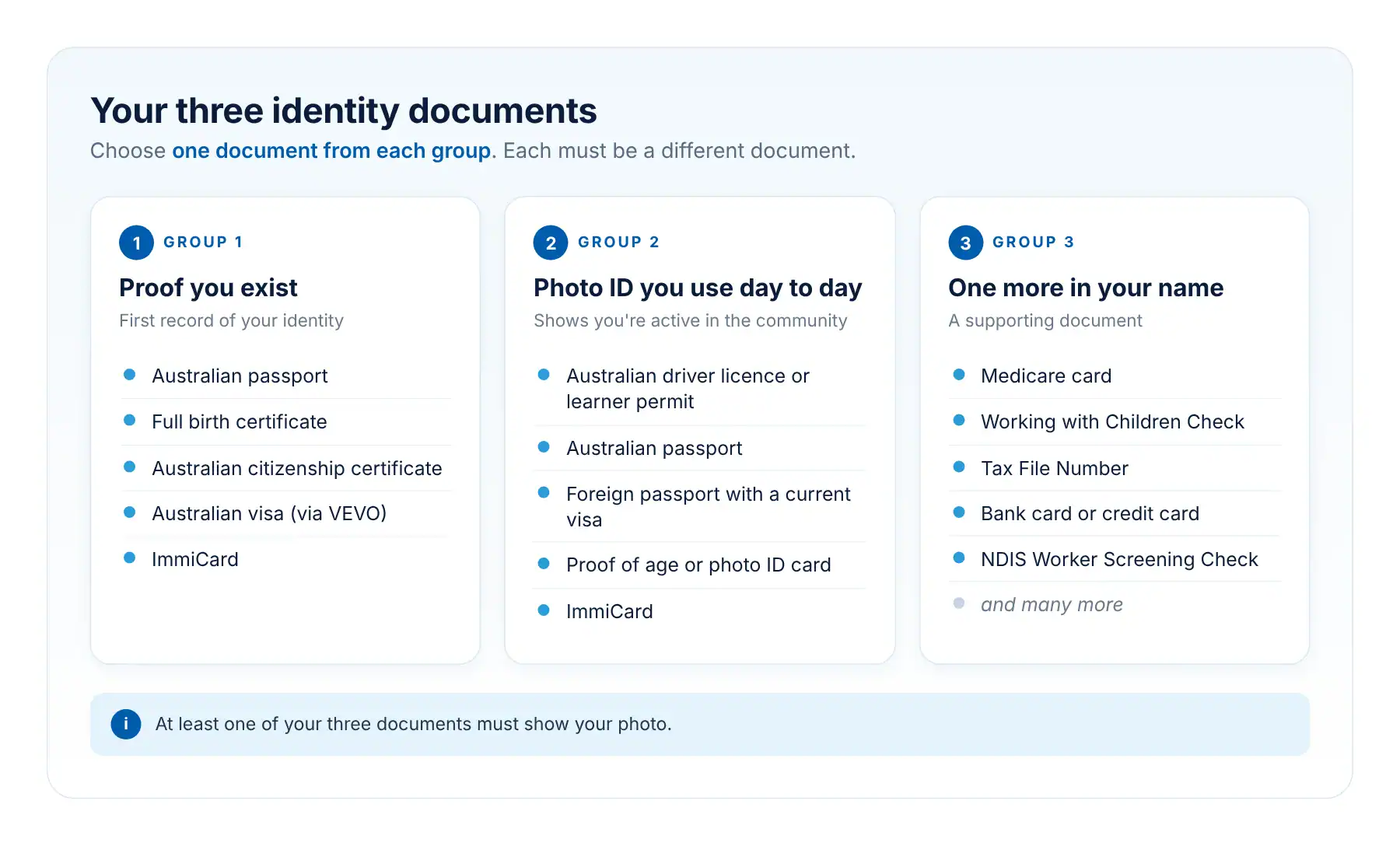
See the full list of accepted ID documents →
| Born in Australia | Australian passport, driver licence and Medicare card. No passport? A full birth certificate works in its place. |
| Here on a visa | Your foreign passport, a VEVO check showing your visa, and a Medicare card. |
Tip: Download your VEVO check as a PDF within the last month. It must show the date and time stamp. A screenshot won’t be accepted.
2
Scroll down and click Start application #
The Start application button is at the bottom of the page, under the mobile number we’ll text. Click it and we’ll send a text message to your phone.
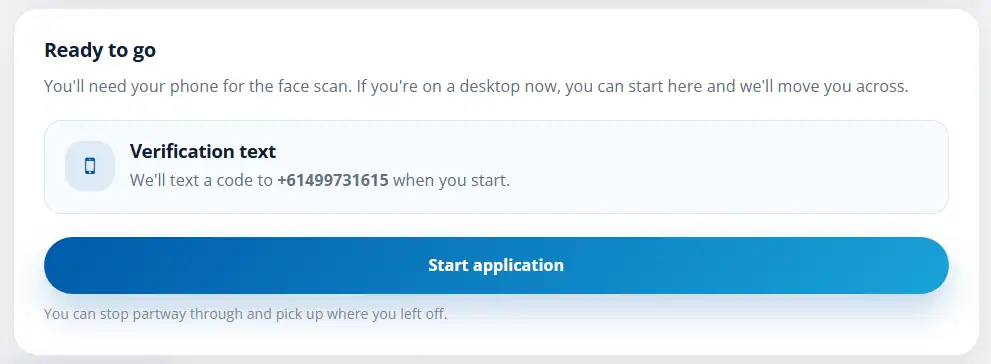
Tip: On a computer? That’s fine. Start here and we’ll move you across to your phone for the face scan.
What happens next #
Open the link in the text message on your phone to do the face scan and add your documents. Then you’ll finish your details and submit. Follow the rest of the steps here →
Good to know #
- You can stop partway through and pick up where you left off.
- Different names on your documents? You’ll also need a marriage certificate or change of name certificate that links them. Certificates from a church or celebrant can’t be accepted. Previous names and change of name documents →
- You must be 16 or older to apply online. If you’re under 16, or someone needs to apply for you, call 1300 609 970.
In short: read which ID you need, then scroll down and click Start application. We’ll text a link to your phone so you can carry on.
Still stuck? Visit our Help Hub or call 1300 609 970.


 English (Australia)
 हिन्दी
 Tagalog
 Español de Colombia
 Français
 नेपाली
 简体中文
 Tiếng Việt