

Here’s how to do your police check, from start to finish. It takes about 10 minutes once you’ve paid.

You will need
- Your mobile phone
- Three ID documents (see Step 3)
- Your addresses for the last 5 years
1
Create your account #
Go to CheckHub and click Magrehistro.
Gamitin the same mobile number you used to pay. This links your payment to your account.
2
Pag-click sa Aksyon #
Log in. Click the red Aksyon button next to your check.
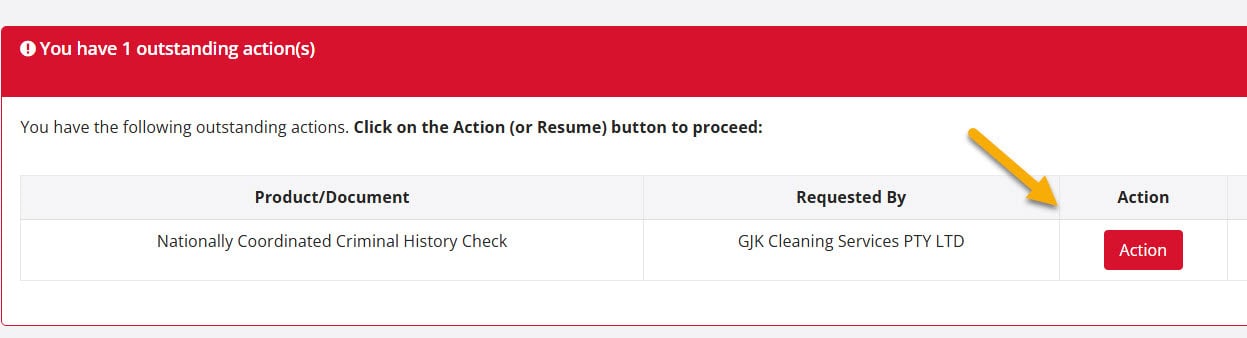
No Action button? Make sure you logged in with the mobile number you used to pay.
3
Check your ID #
You need 3 documents, one from each group.

See all accepted ID documents →
Most people use:
- Born in Australia: passport + driver licence + Medicare card
- On a visa: foreign passport + VEVO check + Medicare card
Using VEVO? Download it as a PDF in the last month. Screenshots are not accepted.
4
Start application #
Scroll to the bottom and click Start application. We’ll send a text message to your phone.

On a computer? That’s fine. You’ll just switch to your phone for Step 5.
5
Verify your identity (on your phone) #
Open the link in the text message. Then:
- Take a selfie. We match it to the photo on your ID.
- Take a photo of your first ID. Use the real card or passport.
- Add your other 2 IDs. Take a photo, or upload one from your phone.


6
Complete your details #
You’ll go back to the application page. Most details are already filled in from your ID.
Check them, then add:
- Anuman previous names (like a maiden name)
- Iyong addresses for the last 5 years
- Why you need the check (job title and employer)

Name is different on your IDs? You’ll need a marriage or change of name certificate. Read more →
7
Review and submit #
Check your answers. Read and agree to the consent. Click Isumite.
Did an employer ask for this check? You’ll see what we share with them before you submit.
Your result #
About 80% of results arrive in CheckHub within 1 to 3 minutes. The rest can take up to 30 days.
Good to know #
- You can stop and come back. Log in and click Action again.
- You must be 16 or older. Under 16? Call 1300 609 970.
Still stuck? Visit our Help Hub or call 1300 609 970.


 English (Australia)
  हिन्दी
  Tagalog
  Español de Colombia
  Français
  नेपाली
  简体中文
简体中文  Tiếng Việt