

How to print or download your certificate #
- 登录您的 Worker Checks CheckHub.
- 在 您的检查和产品, click the tile for the check you want to view — for example, 全国协调犯罪记录检查.
- 点击 查看 PDF 证书右上角。.
- Choose your printer, or select “Save as PDF” 下载电子版。.
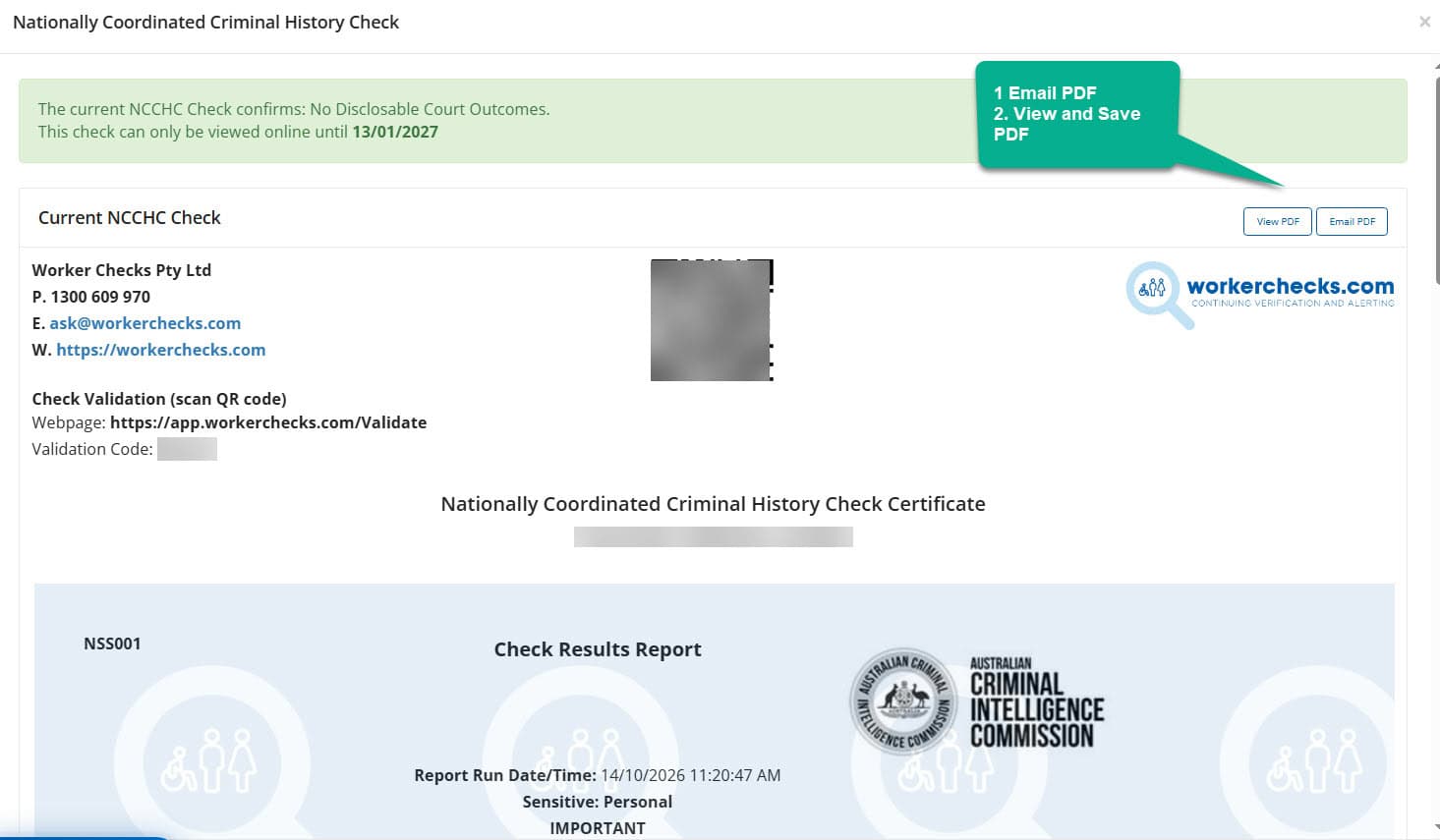
您的 PDF 版本与您的官方数字证书完全相同,并包含内嵌的真实性验证功能。.
小贴士 Printing directly from your CheckHub ensures you capture the latest, verified version of your certificate.
在电脑上吗? Clicking 查看 PDF opens or downloads the file depending on your browser’s settings. If it doesn’t open automatically, here’s where to check:
Most browsers also let you right-click the 查看 PDF button and choose “Save link as…” to pick exactly where it saves.
On a mobile phone? Tapping 查看 PDF downloads the file automatically rather than opening it on screen. If nothing seems to happen, here’s where to look:
Still can’t find it? Tap Email PDF instead and we’ll send it straight to your inbox. See how →
How to email your certificate to yourself #
Can’t download the PDF, or want a copy in your inbox? Use the Email PDF 按钮。.
- 登录您的 CheckHub and open your certificate.
- 点击 Email PDF, next to View PDF in the top-right corner.
- We’ll automatically email the PDF certificate to the email address registered on your account.
Not in your inbox? Give it a few minutes and check your junk or spam folder. The email only goes to the address on your account, so if that address is wrong or you no longer use it, 联系我们.
Need to send it to an employer? Email PDF only sends to you. To send your certificate to someone else, use 电子共享 below. They’ll get a secure link they can verify instantly.
Certificate validation and authenticity #
All Worker Checks certificates include a built-in validation feature so third parties can confirm authenticity at any time.
QR 码验证 #
Scan the QR code printed on the certificate to open a secure verification page.
证书 ID 搜索 #
Enter the unique certificate number on the Worker Checks Validation Portal to confirm status and authenticity.


 English (Australia)
 हिन्दी
 Tagalog
 Español de Colombia
 Français
 नेपाली
 简体中文
 Tiếng Việt