

क्या मुझे अपने प्रमाण पत्र का प्रिंटआउट मिल सकता है? #
How to print or download your certificate #
- अपने खाते में लॉग इन करें Worker Checks Check Hub.
- Under Your Checks & Products, click the tile for the check you want to view — for example, राष्ट्रीय स्तर पर समन्वित आपराधिक इतिहास जाँच.
- क्लिक करें पीडीएफ देखें icon in the top-right corner of your certificate.
- Choose your printer, or select “Save as PDF” डिजिटल प्रति डाउनलोड करने के लिए.
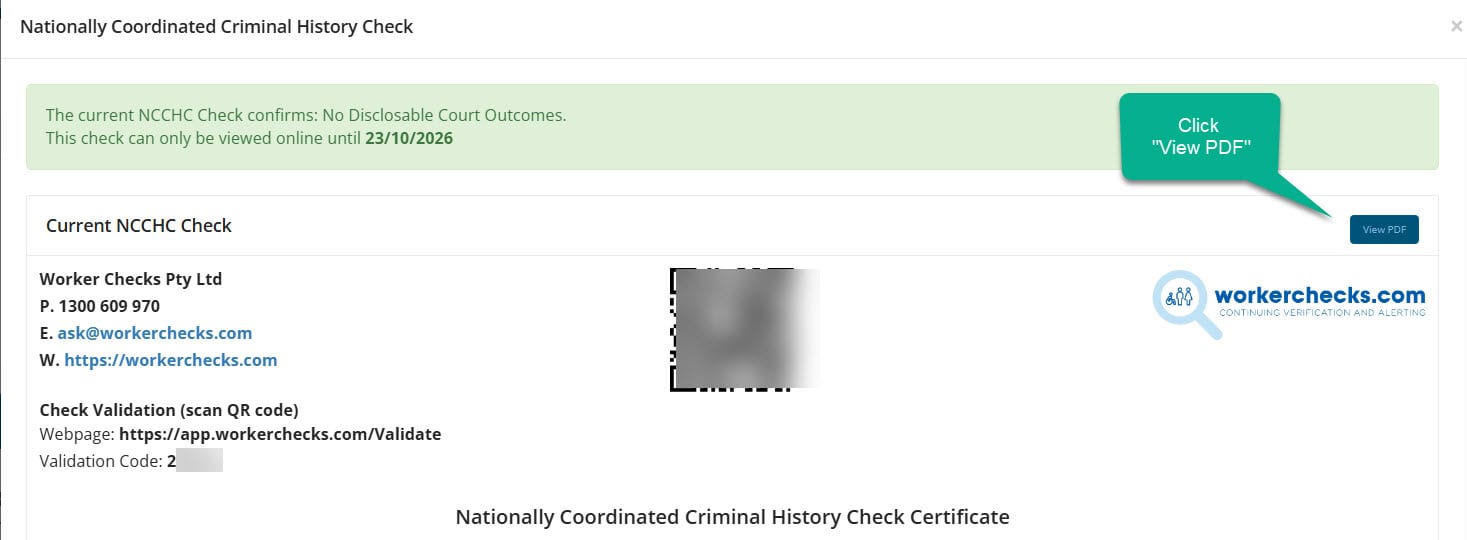
आपका पीडीएफ संस्करण आपके आधिकारिक डिजिटल प्रमाणपत्र के समान है और इसमें प्रामाणिकता के लिए एम्बेडेड सत्यापन सुविधाएं शामिल हैं।.
बख्शीश: Printing directly from your Check Hub ensures you capture the latest, verified version of your certificate.
On a computer? Clicking पीडीएफ देखें opens or downloads the file depending on your browser’s settings. If it doesn’t open automatically, here’s where to check:
Most browsers also let you right-click the पीडीएफ देखें button and choose “Save link as…” to pick exactly where it saves.
On a mobile phone? Tapping पीडीएफ देखें downloads the file automatically rather than opening it on screen. If nothing seems to happen, here’s where to look:
Still can’t find it? हमसे संपर्क करें and we’ll email the PDF to you directly.
Certificate validation and authenticity #
All Worker Checks certificates include a built-in validation feature so third parties can confirm authenticity at any time.
क्यूआर कोड सत्यापन #
Scan the QR code printed on the certificate to open a secure verification page.
प्रमाणपत्र आईडी खोज #
Enter the unique certificate number on the Worker Checks Validation Portal to confirm status and authenticity.
अभी भी मदद चाहिए? #
Our team typically responds within one business day.


 English (Australia)
  हिन्दी
  Tagalog
  Español de Colombia
  Français
  नेपाली
  简体中文
简体中文  Tiếng Việt