

When you add your address history, you’ll be asked for the month you started living at each address. The date picker always opens on this year, so earlier years are hidden until you scroll up. Here’s how to use it.
1
Open the date picker #
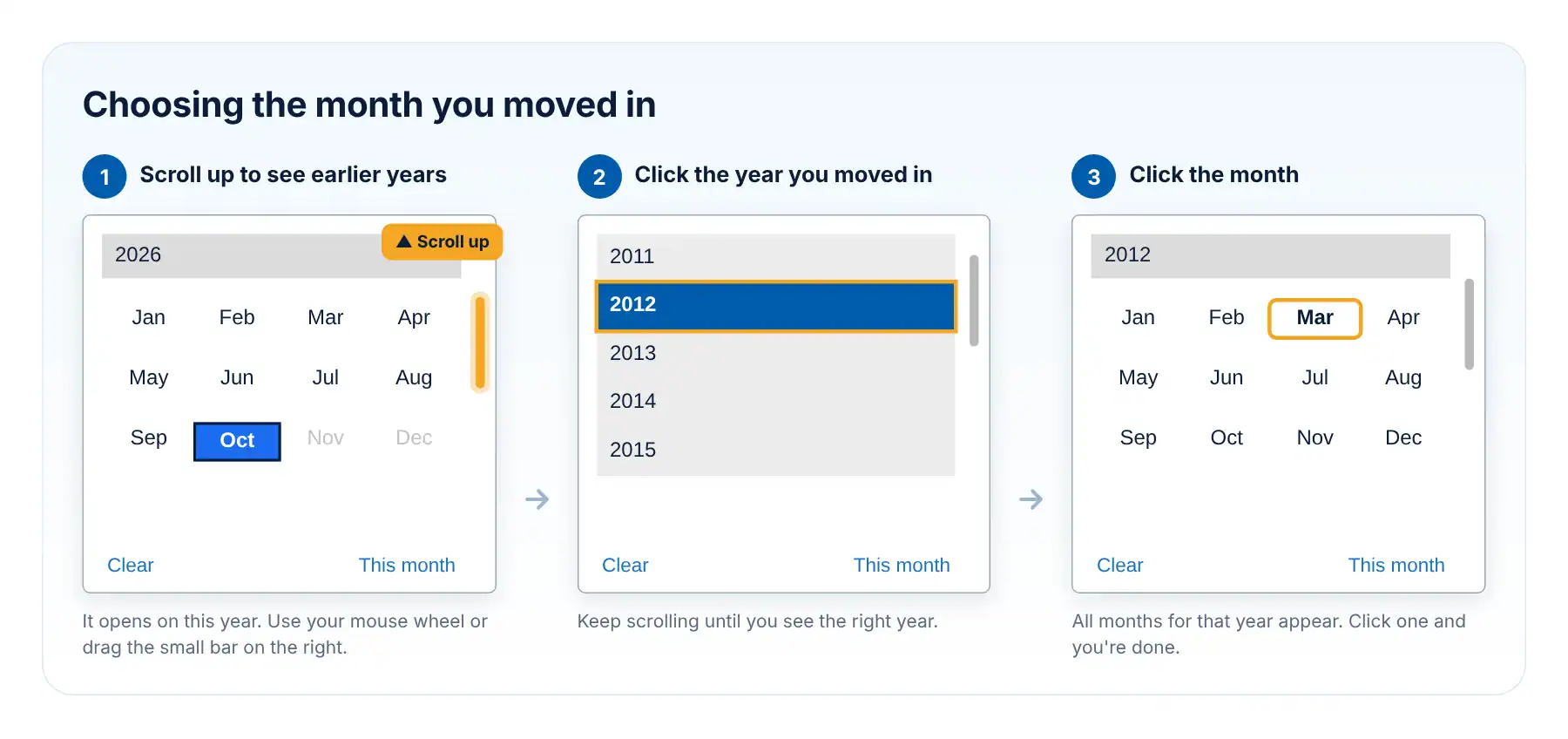
Click the box under Month commenced at Current Address. A small calendar opens, showing the months of this year.
2
Scroll up to find your year #
Earlier years are above the current one. To see them, scroll inside the calendar:
- On a computer: point your mouse inside the calendar and roll the mouse wheel up, or drag the small grey bar on the right-hand side upwards.
- On a phone or tablet: put your finger inside the calendar and swipe down.
बख्शीश: The scroll bar is small and easy to miss. It’s the thin grey bar on the right edge of the calendar.
3
Click the year you moved in #
When you see the right year, click it. All 12 months for that year will appear.
4
Click the month #
Click the month you started living there. The calendar closes and the box shows your month and year. You don’t need the exact day.
यह जानना अच्छा है #
- Moved in this month? क्लिक This month.
- Picked the wrong one? क्लिक स्पष्ट and start again.
- Some months are greyed out? Those are in the future, so they can’t be chosen.
- Not sure of the exact month? Choose your best estimate.
- Previous addresses use the same date picker, so the same steps work there too.
अभी भी उलझन में हैं? हमारी सहायता केंद्र पर जाएँ या कॉल करें 1300 609 970.


 English (Australia)
  हिन्दी
  Tagalog
  Español de Colombia
  Français
  नेपाली
  简体中文
简体中文  Tiếng Việt