Here's how to do your police check, from start to finish. It takes about 10 minutes once you've paid.

You will need
- Your mobile phone
- Three ID documents (see Step 3)
- Your addresses for the last 5 years
1
Create your account
Go to CheckHub and click Register.
Use the same mobile number you used to pay. This links your payment to your account.
2
Click Action
Log in. Click the red Action button next to your check.
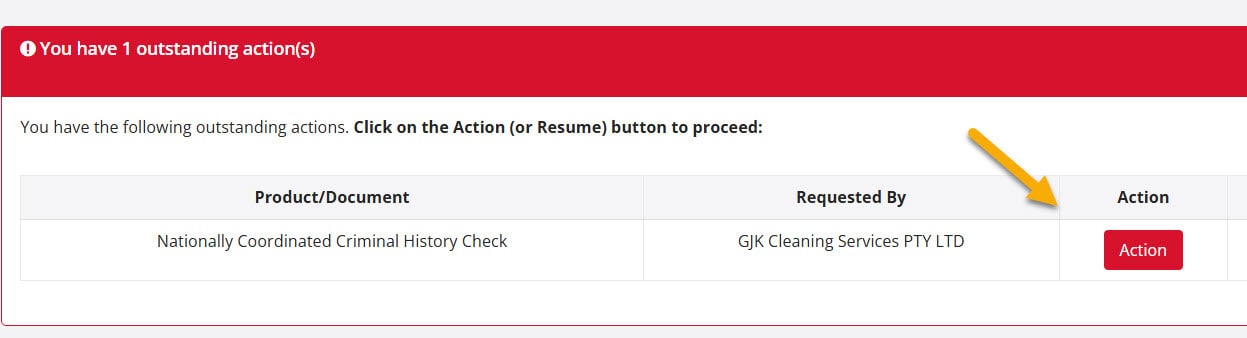
No Action button? Make sure you logged in with the mobile number you used to pay.
3
Check your ID
You need 3 documents, one from each group.
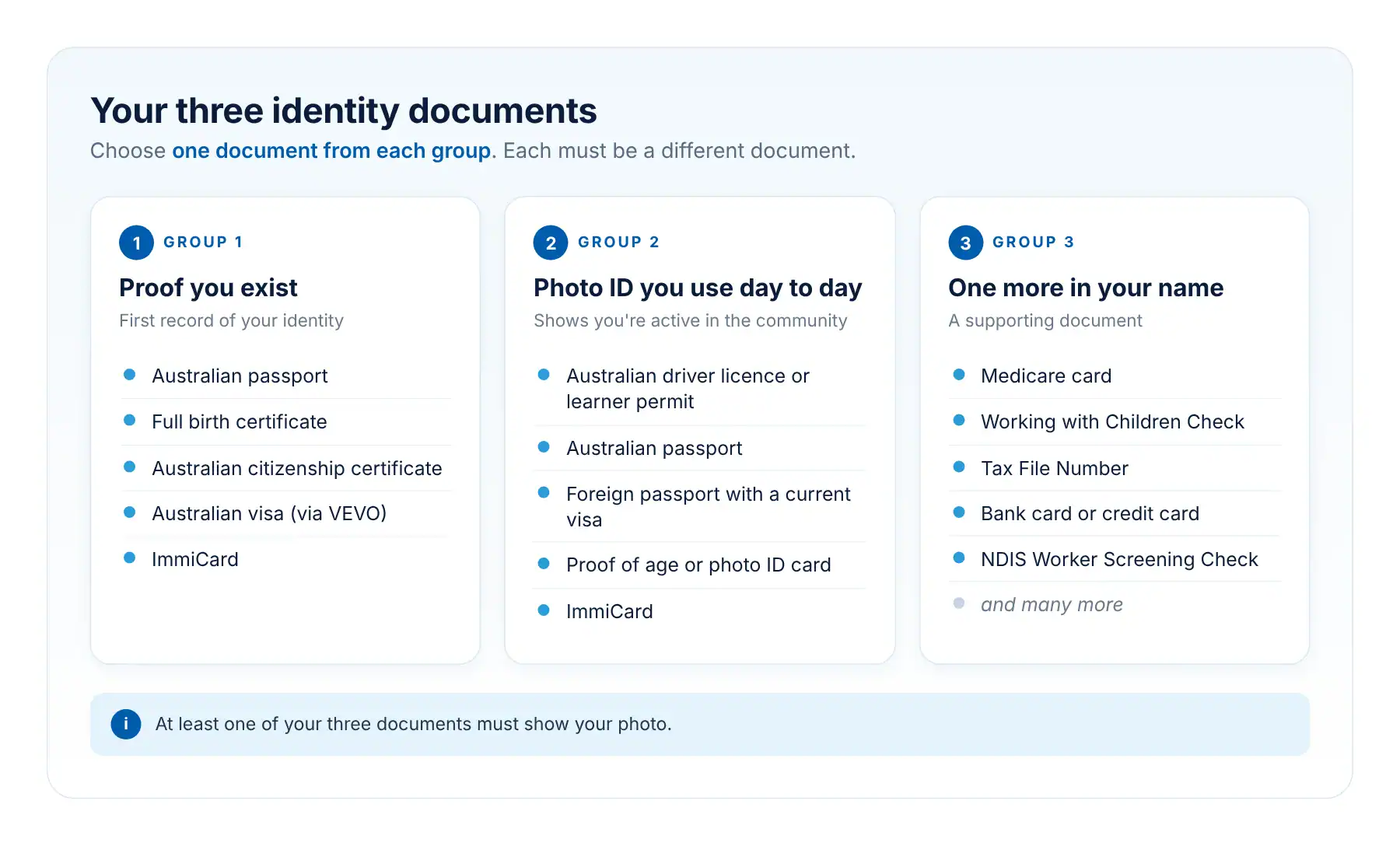
See all accepted ID documents →
This is shown on the What you'll need before you apply screen. More about that screen →
Most people use:
- Born in Australia: passport + driver licence + Medicare card
- On a visa: foreign passport + VEVO check + Medicare card
Using VEVO? Download it as a PDF in the last month. Screenshots are not accepted.
4
Start application
Scroll to the bottom and click Start application. We'll send a text message to your phone.
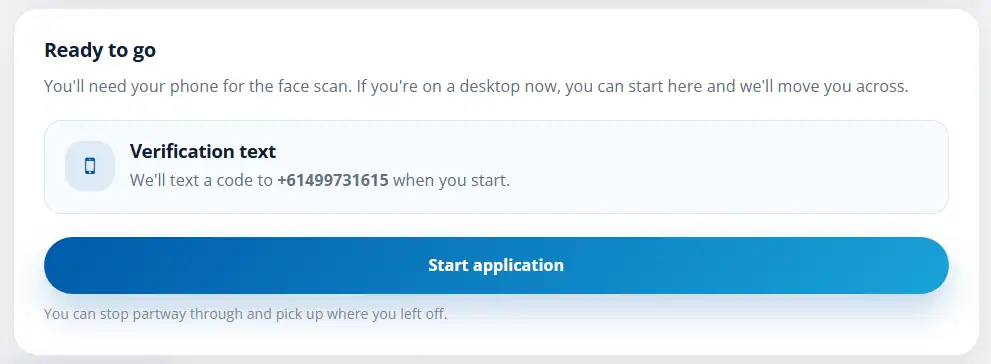
On a computer? That's fine. You'll just switch to your phone for Step 5.
5
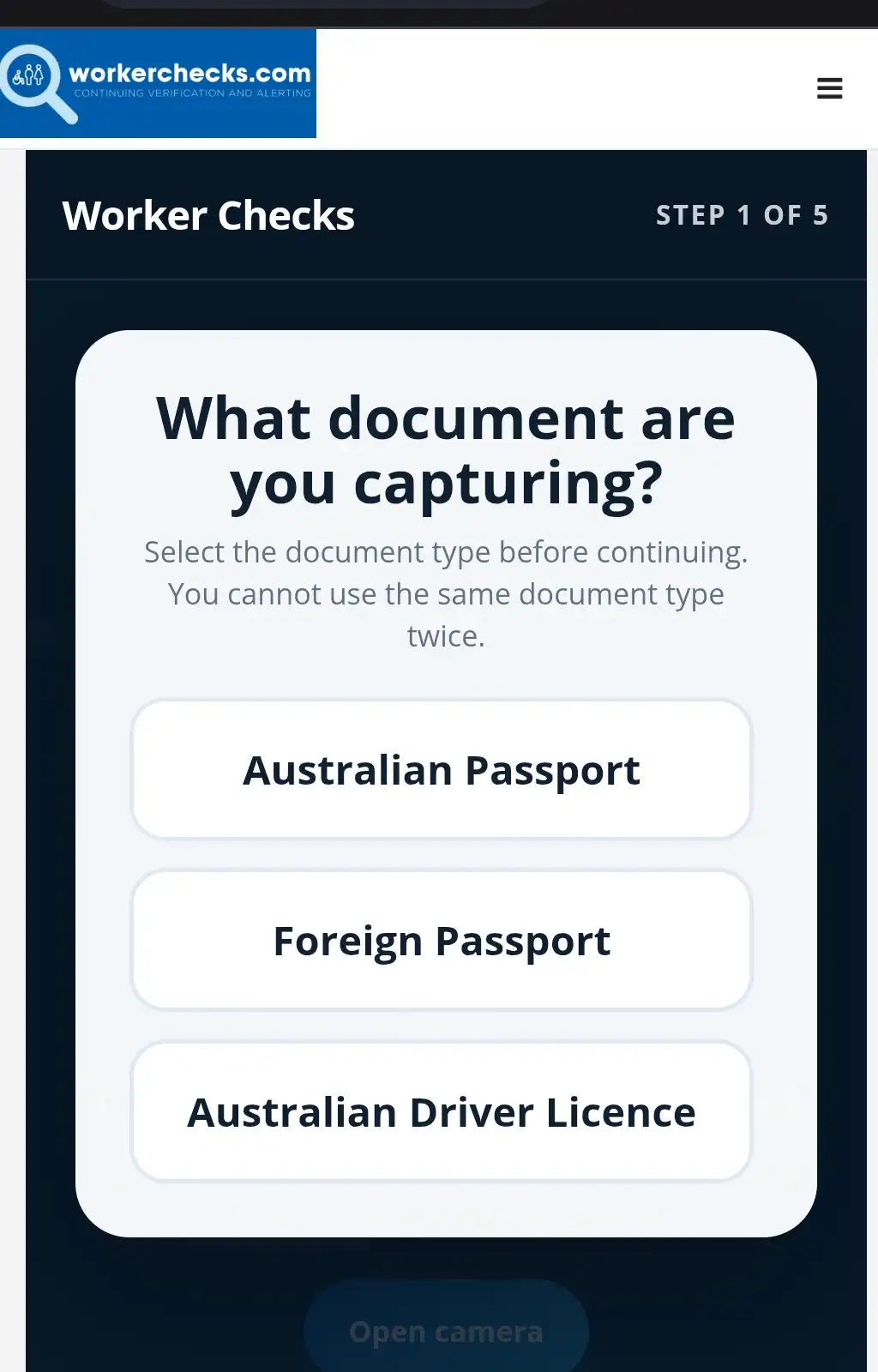
Verify your identity (on your phone)
Open the link in the text message. Then:
- Take a selfie. We match it to the photo on your ID.
- Take a photo of your first ID. Use the real card or passport.
- Add your other 2 IDs. Take a photo, or upload one from your phone.

6
Complete your details
You'll go back to the application page. Most details are already filled in from your ID.
Check them, then add:
- Any previous names (like a maiden name)
- Your addresses for the last 5 years
- Why you need the check (job title and employer)
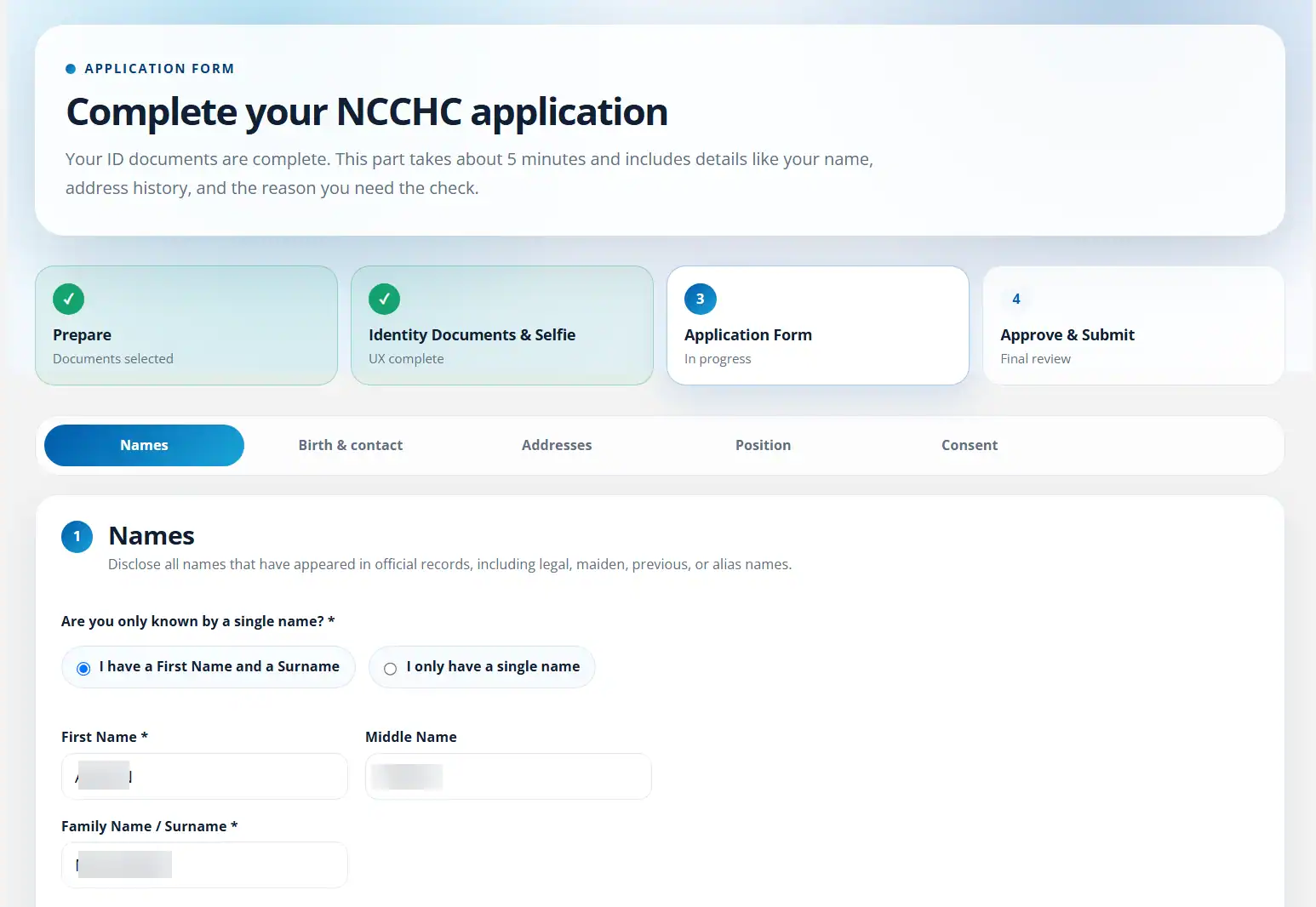
Name is different on your IDs? You'll need a marriage or change of name certificate. Read more →
7
Review and submit
Check your answers. Read and agree to the consent. Click Submit.
Did an employer ask for this check? You'll see what we share with them before you submit.
Your result
About 80% of results arrive in CheckHub within 1 to 3 minutes. The rest are referred for manual review by police, which can take longer, sometimes several weeks.
Good to know
- You can stop and come back. Log in and click Action again.
- You must be 16 or older. Under 16? Call 1300 609 970.
Still stuck? Visit our Help Hub or call 1300 609 970.